Mixed Fleet Management: What Works on Service Vans, and What Changes on Box Trucks

When an operator of a mixed light- and medium-duty fleet looks out at their yard, they see service vans and pickups on one side and box trucks on the other. Yet during procurement conversations, vendors routinely treat this collection of vehicles as two separate fleets. As a result, most vendors quote a different system for each half. But what does that mean for the operator of a mixed fleet?
It means managing two systems, two logins, two reporting formats, two separate bills, and operating without the single view of the yard the operator wanted in the first place. However, the vendor can make the opposite mistake by pretending one system delivers identical data for both halves of the fleet. When the box trucks turn out not to report what the sales sheet implied, the operator is again stuck paying for something that doesn’t help.
A mixed fleet is a single yard that runs light-duty pickups and service vans alongside medium-duty box trucks. Mixed fleet management is the practice of running that yard as one operation, built on the data every vehicle reports, with deeper data used only where it exists. It isn’t about feature parity or getting the same data from every vehicle. Getting there takes a plan, because what each vehicle reports depends on the port it connects to.
This guide is for operators of mixed light- and medium-duty fleets with pickups, service vans, and box trucks over 14,000 lb GVWR, but no semis or tractors. You’ll learn why the data split exists, what each half of your yard reports, and how to run the operation successfully at the intersection.
Why the Split Exists, and Where It Falls
So, why is there a technical fault line in mixed fleet tracking systems in the first place? The split starts with one simple bit of hardware: each vehicle’s diagnostic port.
Light-duty vehicles use the OBD-II port, which has been required on cars and light trucks sold in the US since the 1996 model year. Small plug-in tracking devices are built for this port, and it gives them a deep set of data from the vehicle’s onboard computer. Heavier vehicles often use a 9-pin J1939 connection instead, which is the commercial-vehicle standard. The dividing line usually falls around 14,000 lb GVWR.
In practice, this is why van tracking is so simple to set up, because the port under the dash of a service van has had the same basic interface since the 1990s. It’s a well-understood standard, and many small devices can read a lot from that port. Medium-duty trucks were built for a different diagnostic world. Heavy-duty telematics systems read that connection directly, which is one reason a mixed fleet so often ends up with two quotes. A light-duty device can still connect to a 9-pin truck through an adapter, but on that truck it may not return the deep engine data an operator sees on their vans.
This split is an obvious bottleneck to unified GPS fleet tracking across a mixed yard, but it’s also well known. An operator aware of the divide can decide in advance which operational questions they will answer fleet-wide and which they will answer only on the light-duty side.
What You Actually Get on Each Half
Building a useful tracking system for a mixed light- and medium-duty fleet starts with an honest inventory of the two data sets. Once you know what you have to work with, it’s easier to see where the two differ and where they overlap.
On the light-duty half, with service vans, pickups, and other OBD-II vehicles, you typically get this data:
- Real-time location, plus trip history logs with trip start and end times.
- Geofencing, which provides departure and arrival notifications.
- Engine idle time tracking.
- Driving behavior tracking, including speed, hard braking, and rapid acceleration.
- Impact detection.
- Engine diagnostics, with plain-English translations for diagnostic trouble codes (DTCs).
- Vehicle health alerts and mileage tracking that feed a fleet preventive maintenance program.
On the medium-duty half, when the same device connects to a 9-pin J1939 box truck through an adapter, you get:
- Location tracking.
- Trip history logs.
- Geofencing.
- Engine idle time tracking.
On those trucks, the device may not return engine-on state, battery level, fuel level, or DTCs, so engine-health and maintenance alerts belong to the light-duty half. An operator who expects maintenance alerts across the whole yard from one device will be disappointed. However, four metrics that are consistent across every vehicle you own provide a solid foundation for tracking a mixed fleet.
Managing at the Intersection
The secret to running one system for a mixed fleet is choosing the operational questions you want answered for the whole yard. At the intersection of the two data sets, you have location, trip history, geofencing, and idle time. If the question can be answered with those four metrics, it works fleet-wide.
Idle Time
Engine idle time is the metric to build the business case on. It is available on every single vehicle in the fleet. It’s a good metric because it’s highly measurable and directly actionable. When you spot excessive idling, you have an opportunity to cut fuel waste, and you can compare a van at a job site with a box truck at a dock on equal terms.
Remember that idle time matters much more on the medium-duty side. A larger vehicle with the engine running typically burns more fuel than a smaller one. Box trucks routinely idle at loading docks, gates, and during long stops. Some of this is unavoidable. Tracking idle time by vehicle and by site separates the waiting a dock forces on a driver from the idling a driver can avoid, and only the second is worth a conversation.
Location Tracking, Trip History and Geofencing
Location and trip history data show where your fleet is now and where each vehicle has been in the past. Geofencing provides consistent alerts for vehicles arriving at or departing specific locations, across both sides of your fleet. Together, these three metrics answer utilization and site-timing questions for every vehicle in the yard, such as which trucks sat unused this week and how long each vehicle spent at a customer site.
Bridging the Divide Into a Unified System
Building outward from the intersection, you can run scheduling, utilization, route review, and site timing on the common four metrics for every vehicle. Then, you can run maintenance and vehicle health on the light-duty half, where the engine data exists. The box trucks still need a maintenance schedule, which you can keep by calendar or by your shop’s records rather than by device alerts. With the most critical functions covered for every vehicle, you still have one unified fleet management system for a mixed yard.
Setting It Up Without Buying Two Systems
To end up with one system for a mixed fleet, you need to understand your yard and your data, then plan a careful implementation. Here’s a step-by-step plan for setting it up without buying two systems:
- Inventory the fleet by connection type. Split the list into OBD-II and 9-pin vehicles rather than by vehicle name, because that split determines what you will see.
- Write down your questions. Document the questions you want answered about the whole yard. Utilization, site arrival times, where vehicles went, and how much they idle are the usual four.
- Check against the common data set. If a question needs engine data, mark it as light-duty only so you do not discover the limitation later.
- Ask vendors the direct question. Ask any vendor exactly what it reports on a 9-pin vehicle, and request a complete list. A vendor who answers with a feature sheet for the whole fleet has not actually answered the question.
- Decide on maintenance visibility. Decide whether medium-duty maintenance data is worth the cost and friction of a second system. For some fleets it is. Is it for yours? Make that call based on your actual needs, not the perceived hassle of running a second system.
- Roll out on the light-duty half first. OBD-II devices typically take seconds to install, so you can get this side of your yard up and running first. As a pilot group, the light-duty drivers can deliver valuable feedback.
- Set shared geofences. Put geofences on the places both vehicle classes use, including the yard, the docks, and customer sites.
- Set a baseline idle time. Track idle time by vehicle and site for a full month before acting on it, so the first conversation is about an inefficient dock rather than an inefficient driver.
- Review with your team. Review the operating picture with the people who dispatch and drive. They will usually explain the confusing patterns in one sentence each.
Help With Key Decision Points
Here are some things to keep in mind as you plan your unified system:
- Your ratio of light to medium-duty vehicles matters. A yard with mostly vans and two box trucks is different from one with a 50-50 split. Let the ratio guide your priorities.
- Determine if your main problem is utilization and site timing, or maintenance. You can answer the first with fleet-wide data, but not the second. If your medium-duty trucks are aging, maintenance data becomes more valuable, and a second system becomes more justified.
- If you need one report both your office and your customers can read, a single system usually makes more sense. A single report that someone reads always beats two that nobody opens.
- Ask each vendor how its pricing applies to a fleet of your size and mix, and compare the answer against typical fleet tracking cost ranges.
Common Mistakes
Because each yard is unique, setting up one system for a mixed fleet is different for each company. However, any implementation is prone to some common mistakes, such as:
- Assuming you will achieve feature parity across your fleet. While this is a noble goal, it typically leads to buyer’s remorse. Focus on the intersection of the two data sets for more realistic expectations.
- Accepting a vendor’s promise to unify both sides of your yard without seeing exactly what it reports on a 9-pin vehicle. Ask for that list in writing before you sign.
- Building your metrics and KPIs on data that only exists in the light-duty vehicles, then wondering why the fleet-wide number is wrong.
- Treating excessive idle time as a driver problem before verifying why it happens.
- Rolling out the most challenging vehicles first.
- Expecting the system to change anything on its own. Tracking systems report data, but operators must act on it.
Where Bouncie Fits a Mixed Yard
Tracking a mixed fleet, especially a service van and box truck fleet, in one system is possible if you concentrate on the intersection of data coming from both sides of your yard. But to get there, you have to accept that you're dealing with two different diagnostic ports. A device built for the OBD-II port can connect to a 9-pin J1939 truck through an adapter, but what it reports on that truck is a shorter list than what it reports on a van. Knowing which list applies to which vehicle is what keeps a single system honest.
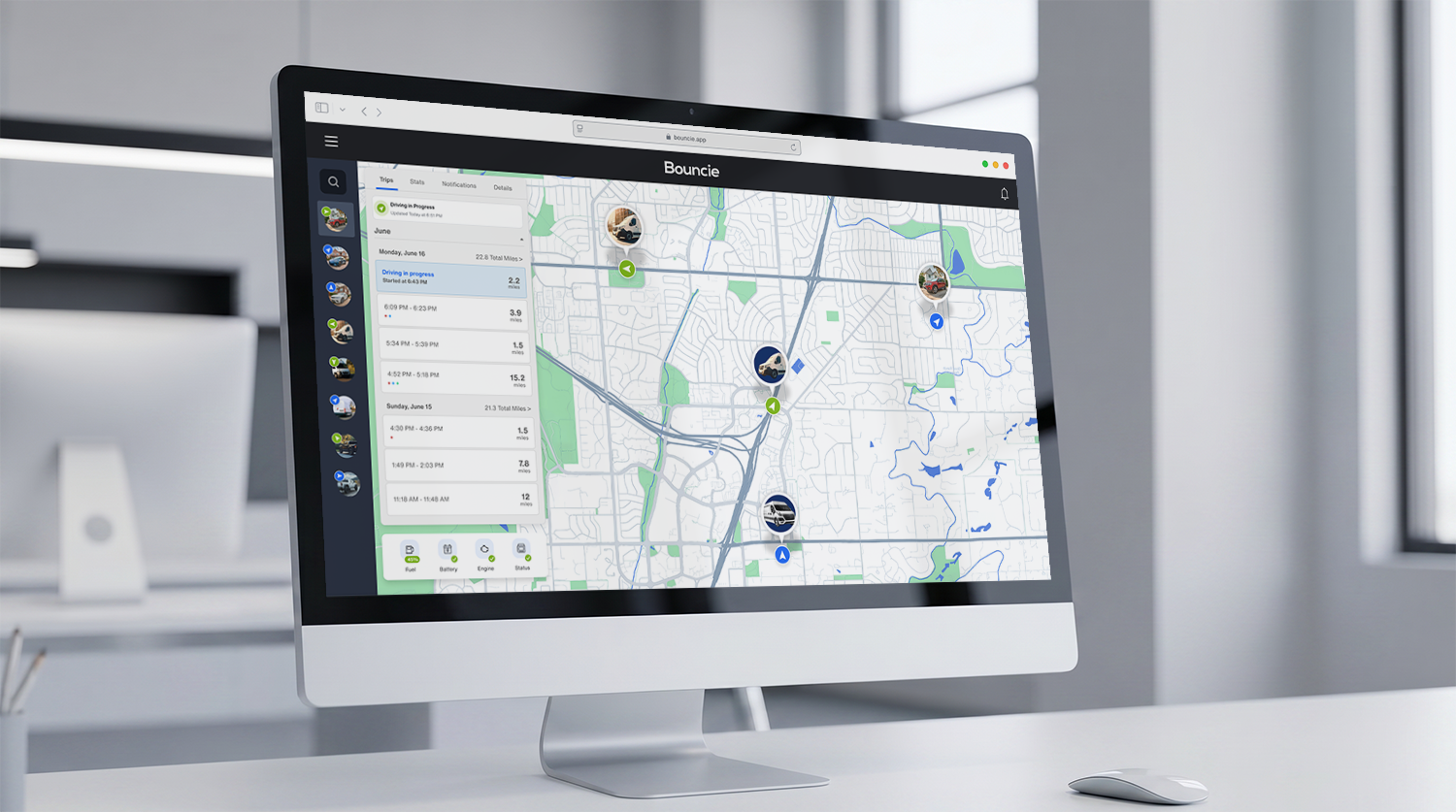
That is why the data both ports share is the foundation of mixed fleet management, and it is where Bouncie fits into a mixed yard. On the light-duty half, the Bouncie device plugs directly into the OBD-II port and reports real-time location, trip history, Geo-Zone alerts, idle time, speed, hard braking, rapid acceleration, impact detection, engine diagnostics, and more. On the medium-duty half, the Bouncie device connects to 9-pin J1939 trucks through an adapter and reports location, trip history, Geo-Zone alerts, and idle time. It may not return engine-on state, battery level, fuel level, or DTCs on those trucks.
Because those four metrics are consistent across every vehicle, you can manage utilization, site timing, and idle time for the whole yard in one place, and keep maintenance alerts on the vans and pickups where the data exists.
Bouncie also makes that common data easy to move into the tools your team already uses, through the Bouncie API or a native integration with Zapier, the no-code automation platform. Instead of reconciling incompatible data across two different systems, you get one data set for the whole yard.
Manage the Yard on What Every Vehicle Reports
The standard line on mixed fleet management is that you need two systems. For some fleets that is the right call, especially when aging box trucks make engine data worth a second contract. For many others, one system built on the metrics every vehicle reports gives a clearer picture of the yard than two systems that never meet. The two-system approach is built on the differences between the light- and medium-duty sides of your yard, but when you focus on the intersection of shared data, the path to mixed fleet management becomes clearer.
It starts with one device that reports the same four core metrics on every vehicle you own, from the service vans to the box trucks. The Bouncie device delivers the metrics your whole yard uses, which makes it a solid foundation for one unified tracking system. To get started on tracking both sides of your yard with common data, learn more about Bouncie for Fleets.